01Hover ↗
Mon
Tue
Wed
Thu
Fri
Due Fri
Draft
Review
Ship
Deadline-Aware Scheduling
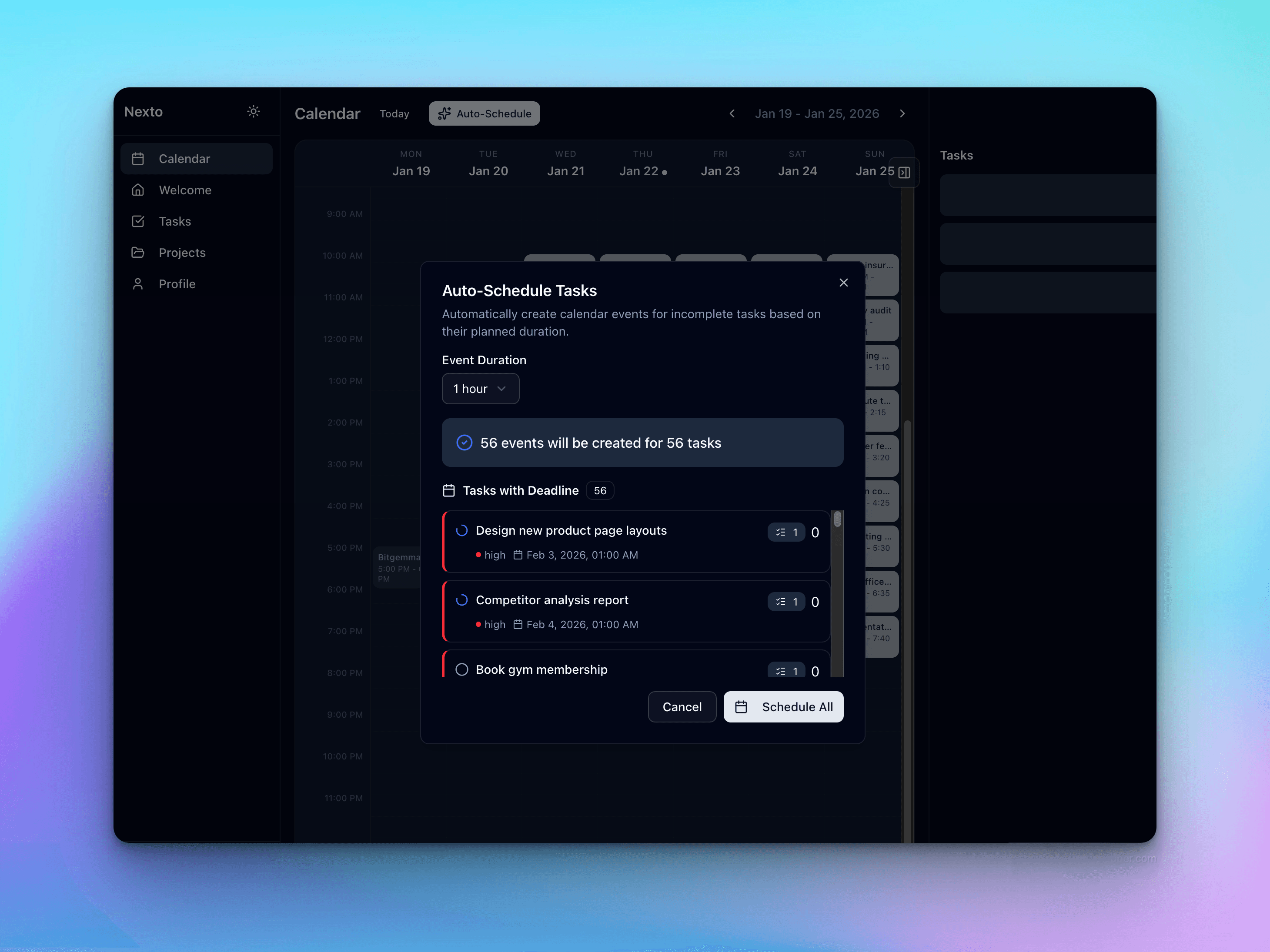
Schedules backward from due dates. Duration, priority, and availability in one pass. You never start too late — overload shows up days in advance.
Nexto auto-slots your tasks into Google Calendar by deadline, priority and meetings — built for solo devs and freelancers who would rather ship than plan.
Launching soon · 14-day free trial
01 — The idea
Add a task. Give it a deadline. Nexto finds the time — around your meetings, ahead of your due dates — and quietly re-plans when the week changes. You open the calendar and do the block.
02 — How it works
01 / 03
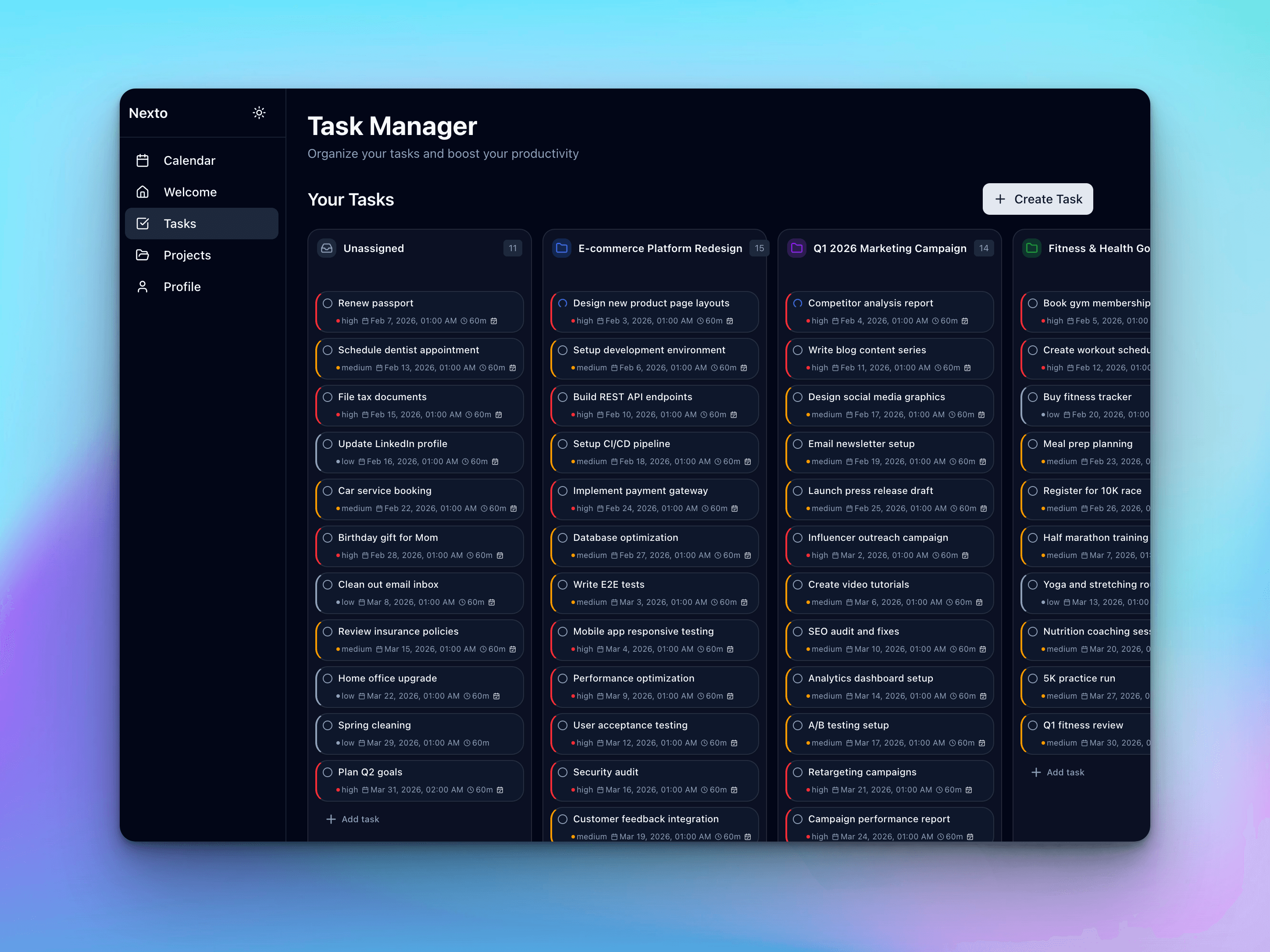
Title, deadline, estimate, priority. Seconds each. No forms, no friction.
02 / 03
One-time sync. Nexto uses meetings and blocks so tasks land in real open time.
Google Calendar
Nexto
03 / 03
Every task is time-blocked. Follow the plan. Reschedule by drag when life changes — or let it auto-reshuffle.
03 — Features
Built by devs who were tired of doing the planning work ourselves.
Schedules backward from due dates. Duration, priority, and availability in one pass. You never start too late — overload shows up days in advance.
High-priority work gets the best slots. The rest fills the gaps. Your energy goes where it matters.
Google Calendar ⇄ Nexto
Reads meetings and blocks. Schedules tasks around them. One source of truth — no double-entry, no collision.
Move a block; the rest adjusts. Or let the system reschedule when meetings move. Your plan stays realistic without you redrawing it.
↳ Due tomorrow · 60 min · High → scheduled
Hit Cmd+K and type "Call doctor by tomorrow, 1 hour, high". Deadline, duration, and priority are highlighted inline as you type. Press Enter — task created, scheduled, done.
“Hey Siri, Nexto”
Say "Hey Siri, Nexto" to dictate a task hands-free, or scan a QR code to open a mobile capture page — no login needed. Tasks land directly in your schedule.
04 — What you get back
05 — Questions
How Nexto handles the scheduling problems people actually have.
Nexto schedules backward from due dates. If a deadline can’t fit around your meetings and other tasks, the task is flagged as a deadline violation the moment it becomes unrealistic — days in advance, not the night before. Overload shows up on your calendar as soon as it exists, so you can renegotiate scope or deadlines early instead of scrambling.
Add the new request with a deadline, duration, and priority — Nexto reshuffles everything else around it automatically, respecting all your other due dates. You can also drag any block to a new time and the rest of the plan adjusts. The schedule stays realistic without you replanning the week by hand.
Yes — that’s the core idea. Nexto turns your backlog into exactly one decision-free queue: the next block on your calendar. Sorting by deadline, priority, and task dependencies happens in the scheduling engine, not in your head. You open the app and do the block.
Yes. Nexto syncs with Google Calendar, reads your meetings and busy blocks, and only schedules tasks into real free time between them. When a new meeting lands or one moves, affected tasks are rescheduled automatically — no double-booking, one source of truth.
Tasks are scheduled in chunks, so a long task can split across available slots. When a task runs over, the unfinished remainder is rescheduled into the next open slot and the rest of the plan shifts automatically. A bad estimate costs you one block, not the whole week.
No. Scheduling is continuous and event-driven: every time you add or change a task, move a meeting, or change your working hours, Nexto recomputes the plan in the background. There is nothing to review on Sunday night — the calendar is always current.
You define working-hours schedules for each day, and Nexto keeps buffers between blocks so the day isn’t wall-to-wall. High-priority work gets the best slots; everything else fills the gaps. Because tasks and meetings live in one view, your focus blocks are visible to you — and defensible.
Yes. Nexto reads your Google Calendar events and writes scheduled task blocks back, so both calendars agree. Overlapping events are merged before free slots are computed, which prevents phantom gaps and double-booked time.
06 — Focus Mode Unlocked
Your week, already decided. Try it free for 14 days.